
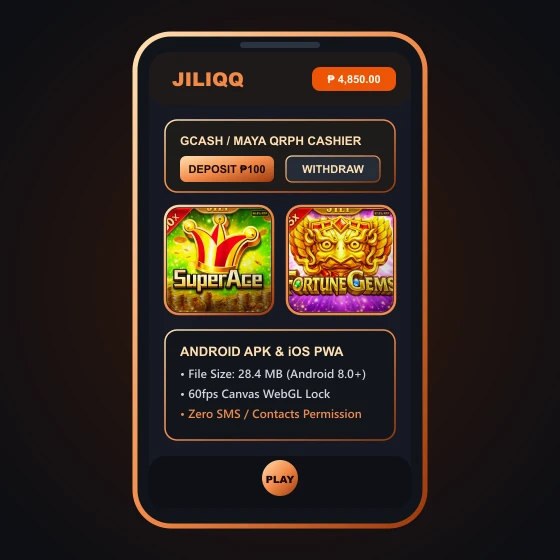
Non-Negotiable APK Security Rule: An authentic casino WebView wrapper (such as the 28 MB JILIQQ Android APK) only needs Internet/Network Access and basic Media/Cache Storage. NEVER grant any casino APK permission to Read SMS, Access Contacts, Record Audio/Screen, or Enable Android Accessibility Services. Any APK asking to read your SMS or Accessibility screen is trying to intercept your GCash OTPs!
Green-Light vs Red-Flag Android Permissions Audit Table
When you install an APK on the same smartphone that holds your GCash, Maya, BDO, or UnionBank apps, Android's permission manager is your main firewall. Our Pasig City technical desk compiled the exact permission matrix every Filipino player should check inside Settings > Apps > Permissions.
| Android Permission Type | Safety Verdict | Why It Matters for Your GCash Wallet |
|---|---|---|
| Network / Wi-Fi Access | SAFE (Required) | Needed to load HTML5 slot reels and connect to the cashier server |
| Notifications (Android 13+) | OPTIONAL (Deny Recommended) | Only used for promo push alerts; denying it stops annoying bonus spam |
| Read / Receive SMS & MMS | DANGER - BLOCK 100% | Allows a rogue app to silently read incoming 6-digit GCash & bank OTP texts! |
| Accessibility Services / Draw Over Apps | DANGER - BLOCK 100% | Used by banking trojans to read screen taps or overlay fake MPIN prompts |
| Contacts & Call Logs | DANGER - BLOCK 100% | Zero legitimate gaming purpose; used by shady wrappers to harvest phonebooks |
Why Mobile Chrome or Safari Is Safer Than Any Sideloaded APK
As we emphasize throughout our player safety handbook, every single JILI slot (Super Ace, Fortune Gems), PG Soft slot, and arcade fishing room is built in HTML5. That means the game runs natively inside mobile Google Chrome, Brave, or Apple Safari without needing any APK installed on your phone at all!
When you play inside Chrome or Safari instead of sideloading an APK, the browser's hardware-backed security sandbox strictly isolates the website from your operating system, your SMS inbox, and your GCash app.
Our #1 Security Recommendation: If you play on the primary phone that holds your main GCash, Maya, and bank accounts, skip the APK download completely and play inside mobile Chrome or Safari (you can add a home-screen bookmark for 1-tap access). Only sideload casino APKs if you use a separate, dedicated secondary budget phone for gaming.
How to Create a Safe "Add to Home Screen" Web App Shortcut
Want the convenience of a 1-tap home screen icon without installing a sideloaded APK or triggering Google Play Protect warnings? Open the verified lobby in Android Chrome, tap the three-dot menu in the top-right corner, and select Add to Home screen (on iPhone Safari, tap the middle Share icon and select Add to Home Screen).
Your phone creates a clean, sandboxed launcher icon right on your home screen that opens the HTML5 lobby in full-screen view while keeping 100% of Chrome and Safari's anti-phishing and OS isolation protections active.
- Always Verify the HTTPS Padlock: Before entering your login password on any home-screen web shortcut, confirm that the browser bar displays an encrypted TLS connection and loads your masked wallet profile.
- Revoke Sideload Permissions Immediately: If you do install an APK on a secondary device, turn "Install Unknown Apps" back to OFF inside Android Settings right after installation finishes.
Play Safely Inside Your Encrypted Mobile Browser
Launch the HTML5 mobile web lobby below in Chrome or Safari with zero APK sideloading and full 256-bit TLS protection.
Open Browser Web LobbyQuestions About Android APK Permissions and Google Play Protect
Why does Google Play Protect show an "Unknown App" warning when installing a casino APK?
Google Play Protect warns you whenever an APK file is downloaded directly from a web browser rather than the official Play Store, because sideloaded apps have not gone through Google Play's automated store review.
How do I revoke "Install Unknown Apps" permission after installing the APK?
On Android, go to Settings > Apps > Special app access > Install unknown apps, tap Chrome (or your file manager), and toggle "Allow from this source" back to OFF.
Does the mobile browser version have the exact same games and GCash cashier as the APK?
Yes! 100% of the games, promotions, and GCash/Maya QRPh cashier functions are identical in mobile Chrome and Safari because the APK itself is simply a wrapper around the mobile web lobby.