
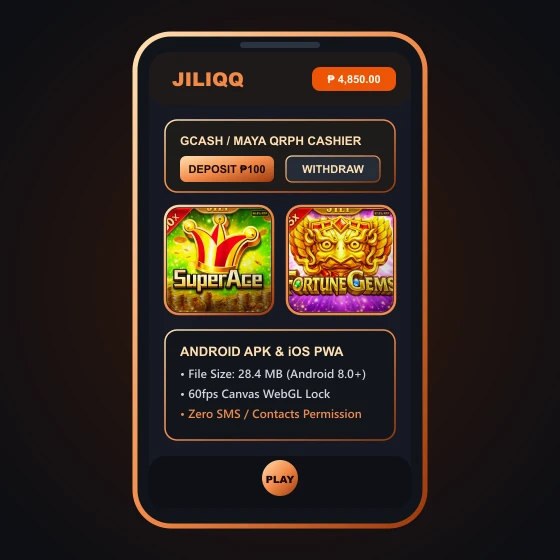
Quick Answer on App Safety: The Android installer is a 28 MB direct APK file requiring Android 8.0 or newer, while iPhone users receive a Safari web shortcut rather than a native App Store binary. If you do not want to enable "Install Unknown Apps" on your phone, you can play every JILI and PG Soft title directly inside mobile Chrome or Safari with zero performance loss and stricter browser sandboxing.
Technical Specifications of the JILIQQ 28 MB Mobile Package
Because Google Play and the Apple App Store restrict real-money offshore casino apps in many regions, the operator distributes its Android client as a direct APK download and its iOS version as a mobile web wrapper. Before you download anything onto the same phone that holds your GCash and Maya apps, you need to know exactly what the package contains.
Our testing desk inspected the 28 MB installer on a mid-range Android 13 handset over Smart 5G and Globe 4G LTE. Below are the verified package requirements compared against playing directly in your mobile browser.
| Specification | Android APK Client | iOS Safari / Chrome Web |
|---|---|---|
| Download File Size | 28 MB installer (~65 MB unpacked cache) | 0 MB (runs in browser cache) |
| Minimum OS Version | Android 8.0 (Oreo) or higher, 2 GB RAM | iOS 14+ or current Android Chrome |
| Installation Method | Sideload via "Install Unknown Apps" | Add to Home Screen bookmark |
| Cashier Redirect | Opens GCash/Maya via external intent | Direct tab handoff to e-wallet app |
Notice that the APK itself is mostly a lightweight WebView shell that caches graphic assets locally so slot animations in Super Ace and Fortune Gems load slightly faster on weak 4G signals.
How to Install the Android APK Without Compromising Your Phone
If you decide to install the dedicated Android package on a budget or secondary phone, follow these four steps so you do not leave your operating system permanently exposed to third-party installers.
Verify File Size Before Opening the Installer
Check your Chrome Downloads folder. The official APK file should sit around 25 MB to 32 MB. If a downloaded file is tiny (under 2 MB) or ends in .exe or .zip, delete it immediately because it is a fake dropper file.
Grant Unknown App Permission Temporarily
Android will prompt you to allow Chrome to install unknown apps. Toggle this on for the installation, then go right back into Settings > Apps > Special App Access and turn it off again as soon as setup finishes.
Deny Intrusive OS Permissions on First Launch
A legitimate casino wrapper only needs internet access and basic storage cache. If any prompt asks to read your SMS messages, access your contact list, or enable Accessibility Services, tap Deny. Read our full APK permissions safety check for details.
Test Cashier Handoff With a Minimum Deposit
Before playing long sessions, verify that the in-app cashier smoothly opens your GCash QRPh screen using our ₱100 test deposit method.
Setting Up JILIQQ on iPhone and iPad via Safari
Be skeptical of any banner showing an "Available on the App Store" badge that redirects you to a configuration profile (.mobileconfig). Installing enterprise configuration profiles on an iPhone grants root-level certificate privileges that no gaming site ever needs.
The safest way to use the platform on iOS is to open the lobby in Safari, tap the Share icon at the bottom of your screen, and select Add to Home Screen. This creates a clean one-tap icon on your iPhone home screen while keeping all scripts strictly locked inside Apple's WebKit security sandbox.
Player Workaround for Lag on Older Phones: Whether you use the APK or mobile Chrome, turn off "Background Music" and switch slot spin animations from "Turbo" to normal inside the JILI game menu. This cuts battery drain and prevents frame drops during multi-cascade bonus rounds.
Prefer Zero APK Installation on Your Primary Phone?
You can launch the full HTML5 mobile lobby directly in Chrome or Safari with 256-bit encryption, full GCash and Maya cashier access, and zero storage bloat.
Launch Mobile Web LobbyFixing Common App Crashes, Black Screens and Update Loops
When a slot reel freezes mid-spin on mobile, players naturally worry that their bet was lost. In reality, every spin outcome on certified studios like JILI Games and Pragmatic Play is calculated on the remote game server the millisecond you tap Spin, before the animation even starts on your phone.
- Stuck on "Checking for Updates" Loop: Go to Android Settings > Apps, clear the app Cache (not system storage), and restart over mobile data.
- Black Screen Inside Live Dealer Tables: Live video streams from Evolution Gaming require WebGL hardware acceleration and at least 5 Mbps stable bandwidth. Switch from 720p HD to SD video quality inside the table settings.
- GCash Redirect Does Not Open From the App: Some Android battery-saver modes block app-to-app deep links. Instead of relying on automatic redirect, download the QRPh image from the cashier screen and upload it manually inside your GCash Scan QR menu.
Questions About Installing and Updating the Mobile App
Is the JILIQQ app available on the official Google Play Store?
No. Most offshore online casino apps targeting the Philippines are distributed as direct Android APK downloads rather than through the Google Play Store. If you see a Play Store clone with a similar name, it is usually a free-to-play ad wrapper or a phishing app.
What happens to my bet if the app crashes during a Free Spins bonus round?
Your payout is calculated on the studio server as soon as the spin triggers. When you log back in and reopen the same slot game (such as Super Ace or Boxing King), the game will either resume the unfinished free spin or show the completed payout in your Bet History.
How much mobile data does the app use per hour?
Playing standard HTML5 slots like Fortune Gems or Money Coming uses roughly 25 MB to 45 MB of data per hour once graphic assets are cached. Live dealer baccarat video streams consume much more, averaging 300 MB to 550 MB per hour.
Is it safer to use the Android APK or mobile Chrome?
Mobile Chrome or Safari is always safer on a phone that also holds your personal banking apps because the browser isolates website scripts inside a strict sandbox without requiring Unknown Sources permissions.