
Storm Kraken Assault places members in an ocean battle where every attack follows visible controls. The title combines creature targets, changing scenes, and wager choices through JILIQQ. This guide helps Philippine players understand rules, practical steps, and useful decision methods.
Understanding Storm Kraken Assault mechanics at JILIQQ
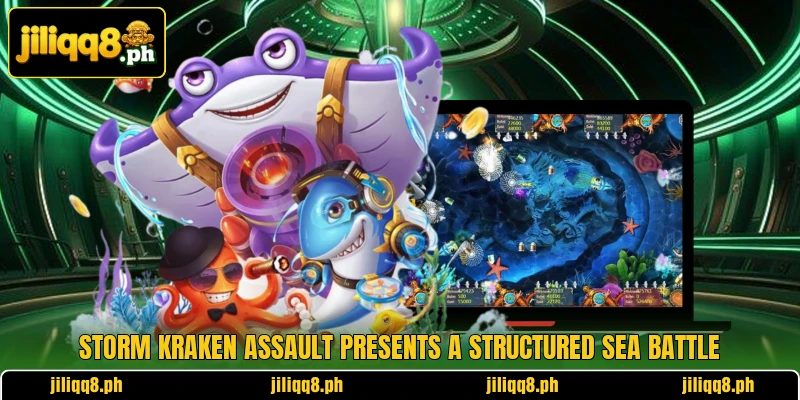
The screen displays sea creatures, attack tools, balance details, and current wager information. Each target behaves differently, so players should observe movement before selecting an attack. Storm Kraken Assault keeps action continuous while results appear after completed attempts.
A round begins when members choose a room and confirm an acceptable attack amount. The system deducts that value before showing whether the attempt produced any return. Storm Kraken Assault marks successful hits clearly without hiding the recorded outcome.
Available rooms separate entry levels, attack ranges, and target patterns for different budgets. Philippine members can read PHP values, while USD conversion supports accurate limit comparisons. Storm Kraken Assault conditions should be checked because room details may change between sessions.
How players enter contests and place wagers
A clear routine reduces mistaken clicks and helps members understand each visible control. Players should review room limits, balance units, and attack settings before starting.
Open the game lobby
Members sign into their account, then locate the title through the game menu. A stable connection loads controls, animations, and balance information without frequent interruptions. Players should confirm every button responds normally before choosing any betting room.
The lobby may show rooms with different entry requirements and attack values. Lower limits suit members testing controls, while higher options require larger balances. Selection should depend on displayed conditions rather than attractive background designs.
Before entry, players can inspect sound settings, orientation, and available help information. These adjustments make important numbers clearer during rapid creature movements. Members should also verify whether the listed currency appears in PHP or USD.
Choose a suitable battle room
Each room provides targets, limits, and attack options that may differ. Members should compare minimum and maximum figures before selecting a starting place. A PHP 10 entry feels different from PHP 100 despite similar action.
USD users should examine conversions because account displays may round smaller amounts. For example, USD 1 may represent a different PHP wager after conversion. The cashier record best confirms the amount deducted from an account.
Room selection affects how quickly members follow movements and understand result messages. A quieter screen may support clearer target choices during early practice sessions. Players can leave whenever the current setting feels unsuitable.
Set each attack value
The attack control lets members raise or lower the amount before firing. Every adjustment appears beside the button, providing a final value for confirmation. Players must read this number because repeated attacks may reuse that setting.
Storm Kraken Assault becomes easier to follow when one attack value is tested first. Sudden changes make individual outcomes harder to compare across completed attempts. A steady setting also shows how quickly available balance changes during play.
Members using PHP should note fixed increases shown by the attack controls. USD displays may include decimals, requiring closer attention before repeated actions. The selected number should match the intended attack, not a previous round.
View more: Ocean Predator Siege – Hunt Dangerous Ocean Predators
Launch strikes and read results
After choosing a target, members press the control and watch the result notification. A successful outcome may show credits, multipliers, or another visible message. An unsuccessful attempt reduces balance according to the confirmed value.
Players should separate animation from records because bright effects cannot change account figures. The updated balance gives a clearer answer than sounds or creature reactions. Members can pause after several attacks to review deductions and credited returns.
Round history helps confirm completed actions and identify accidental repeated inputs. Screenshots may support personal checks, although account history remains more reliable. Members should contact support when displayed outcomes and transaction records clearly disagree.

Useful methods for clearer strike decisions during play
Practical choices begin with reading game information instead of guessing from visual changes. Members can compare targets, values, and outcomes without expecting guaranteed returns.
Read the payout information
The paytable explains symbols, target values, special actions, and possible result combinations. Players should open it before wagering because visual size may misrepresent payout importance. Written rules provide stronger guidance than assumptions based on creature appearance.
Some targets require different conditions, so members should check each feature description. Bonus indicators also need careful reading because activation requirements may vary. No attack should be considered certain unless the rules explicitly confirm it.
Return figures may appear as multipliers, credits, or values linked with attacks. Members should calculate examples using their actual PHP or USD setting. This approach makes rewards easier to understand when several effects appear together.
Use Storm Kraken Assault functions carefully
Special tools can change targeting behavior, attack speed, or creature damage. Members should read activation costs before pressing any unfamiliar feature icon. Fast actions may spend several wagers while automatic firing remains enabled.
Players can test one function, then check history for its recorded result. This method shows whether a tool changes cost, frequency, or target selection. Mixing controls immediately makes individual feature effects harder to identify.
Storm Kraken Assault may show temporary events or prompts during selected sessions. Members should follow written conditions instead of assuming every animation adds rewards. Closing unclear prompts remains reasonable until related instructions become understandable.
Compare PHP and USD values
Philippine players commonly use PHP, making local values useful for judging costs. An account showing USD requires conversion before comparing familiar peso amounts. Exchange rates change, so the cashier figure should guide calculations.
A USD 2 attack may represent over PHP 100 at certain rates. Repeated attempts can reduce funds quickly when decimals appear visually small. Storm Kraken Assault players should check both units whenever conversion appears.
Storm Kraken Assault results remain tied to the selected account currency during each session. Players should avoid switching units mentally after confirming an attack. Consistent calculations make records easier to review across deposits, wagers, and withdrawals.

View more Category: Fish
Conclusion
Storm Kraken Assault offers ocean battles built around targets, attacks, rooms, and visible results. Members can access the game through JILIQQ after checking currencies and applicable rules. Register, download the app, open the title, and enjoy every session with good luck.